
Everything SafetyCentral does, screen by screen.
Real screens of the app, on a demo site. Start with onboarding: that is where it all happens.
Onboarding
Your people and your files, from day one.
- Invite your people by e-mail, or put up a sign-up QR code: each person creates their account and you approve them.
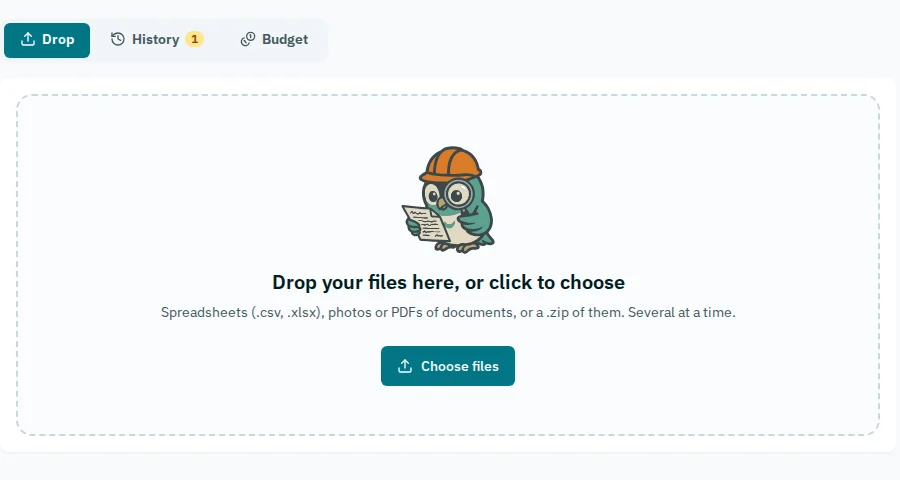
- Bring what you already have: staff lists, certificates, PPE registers, equipment, golden rules, past reports. Spreadsheets, photos or PDFs, or a .zip holding them.
- AI reads each file and asks you only what it cannot settle. You review every row before it is saved.
- The site invites the companies working on it. A company without an account answers through a link.
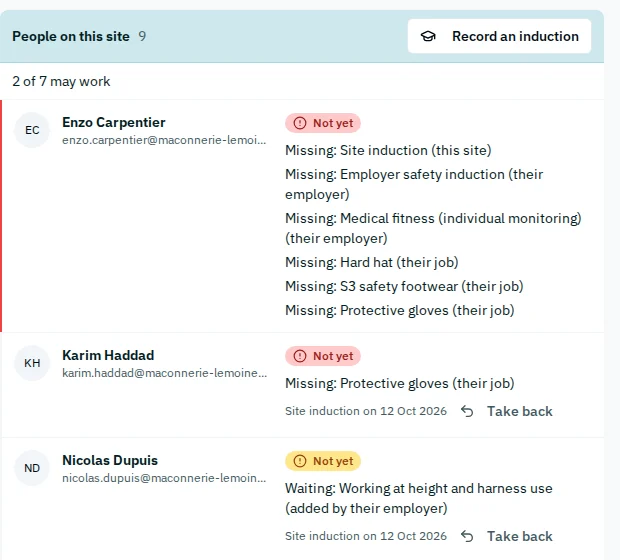
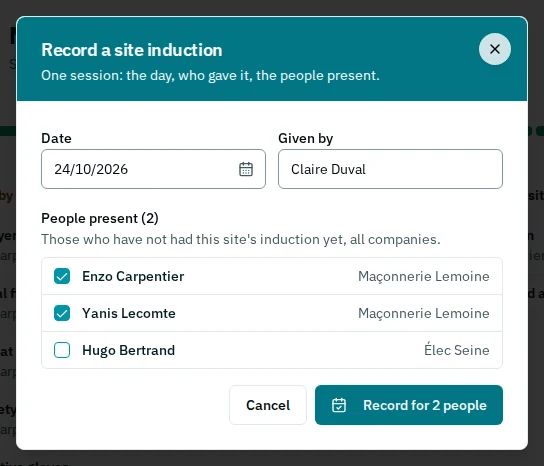
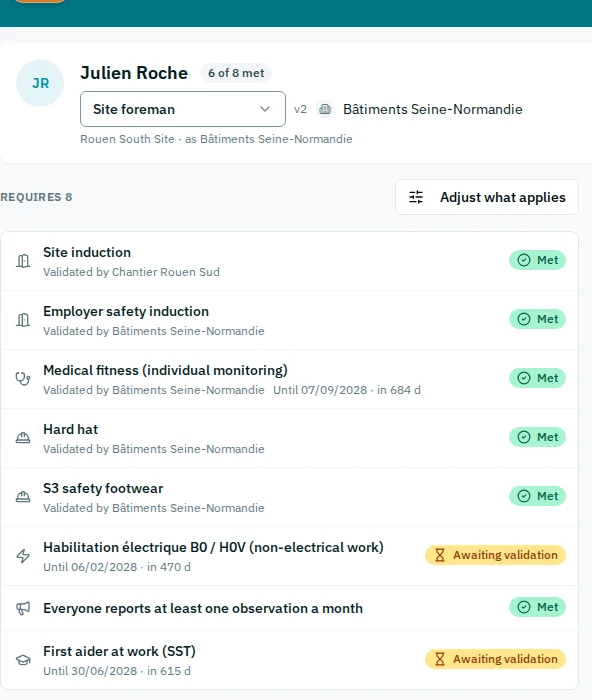
- The site induction is recorded per session: the date, who gave it, who attended. Each person sees what they still lack to work.
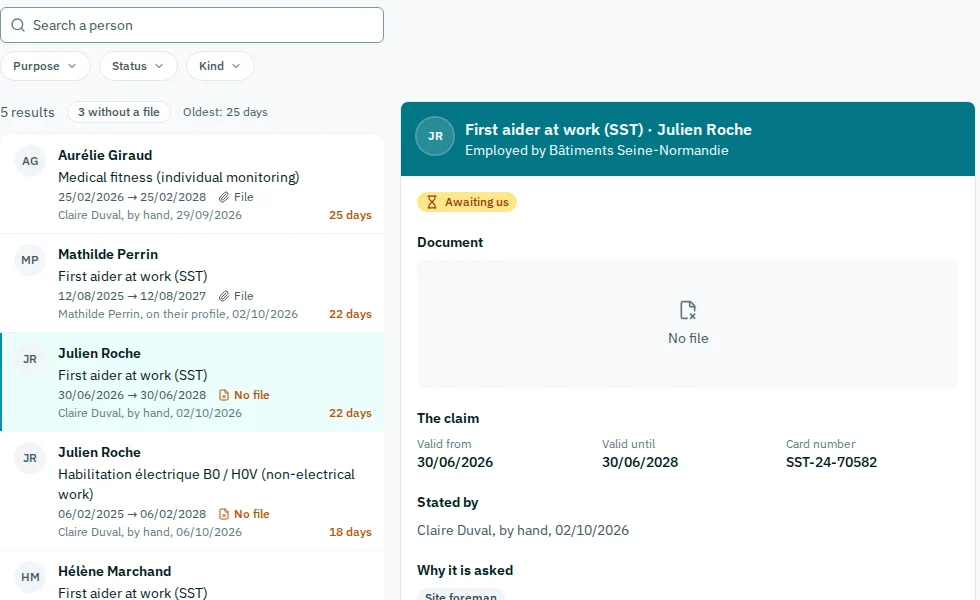
- A declared certificate counts once the employer or the site validates it, and the app says who.
- Everyone finds their own record on their phone: their requirements, their certificates.
Your company
When your client audits, the evidence is already there.
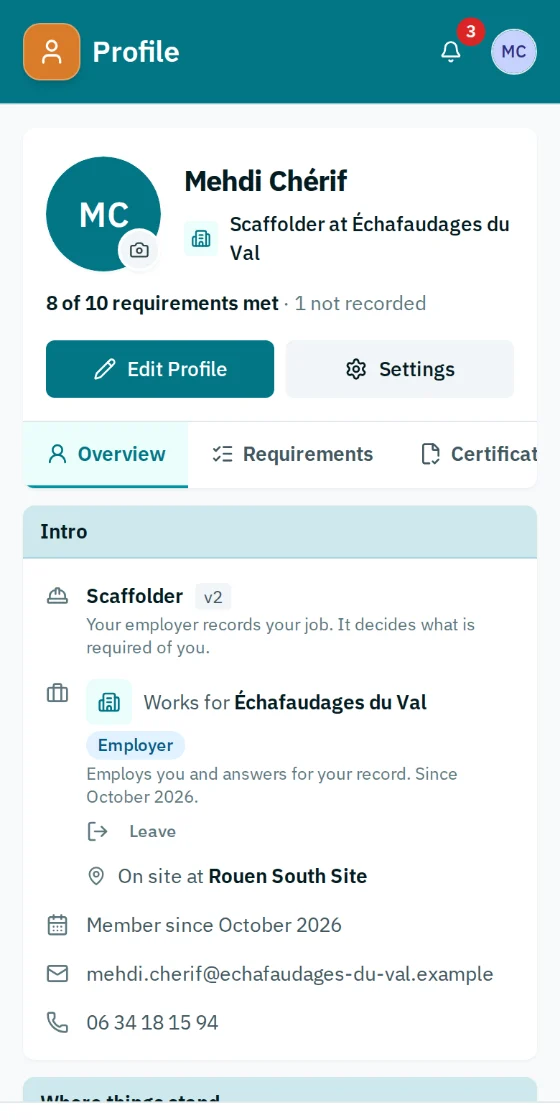
- A passport for each person: their job, what it requires, what is on file, and who validated it.
- Statuses that don't cheat: validated, pending validation, expired, never recorded. “Nobody told us” never counts as compliant.
- A warning 30 days before each expiry, to the person, to your company and to the sites.
- Each certificate is entered once and follows the person to all your clients. The site sees the status and what is missing, never health papers.
- Your company documents, such as certifications, ISO 45001, insurance, risk assessment: versions, dates and warnings, sent to each site in one click.
- A safety plan is written for one site, and it is flagged when that site's coordination plan changes.
- The PPE register: issued, checked, retired, with due dates.
- The grid of jobs and what each requires exports, gets fixed in Excel and imports back.
Reporting
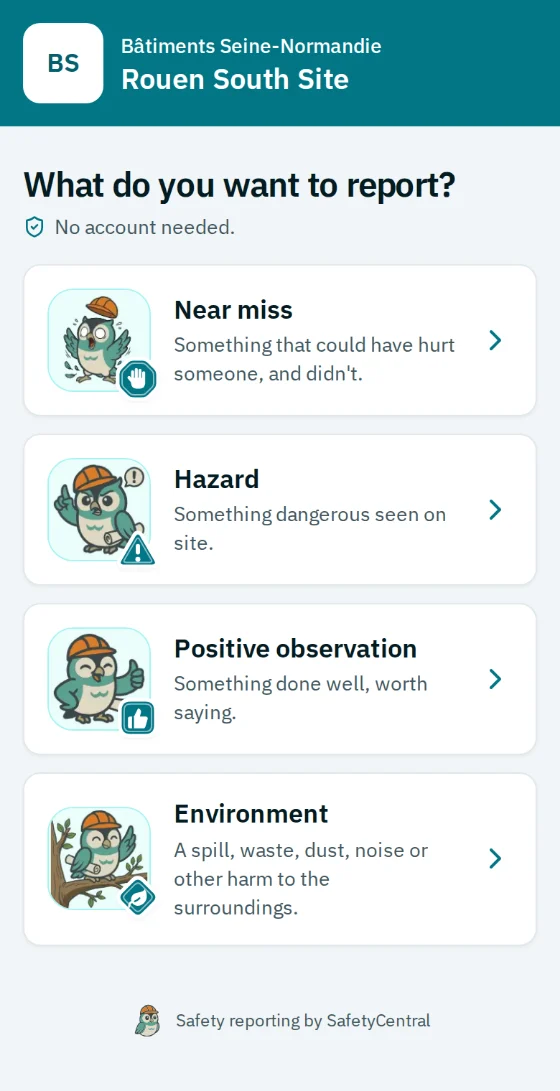
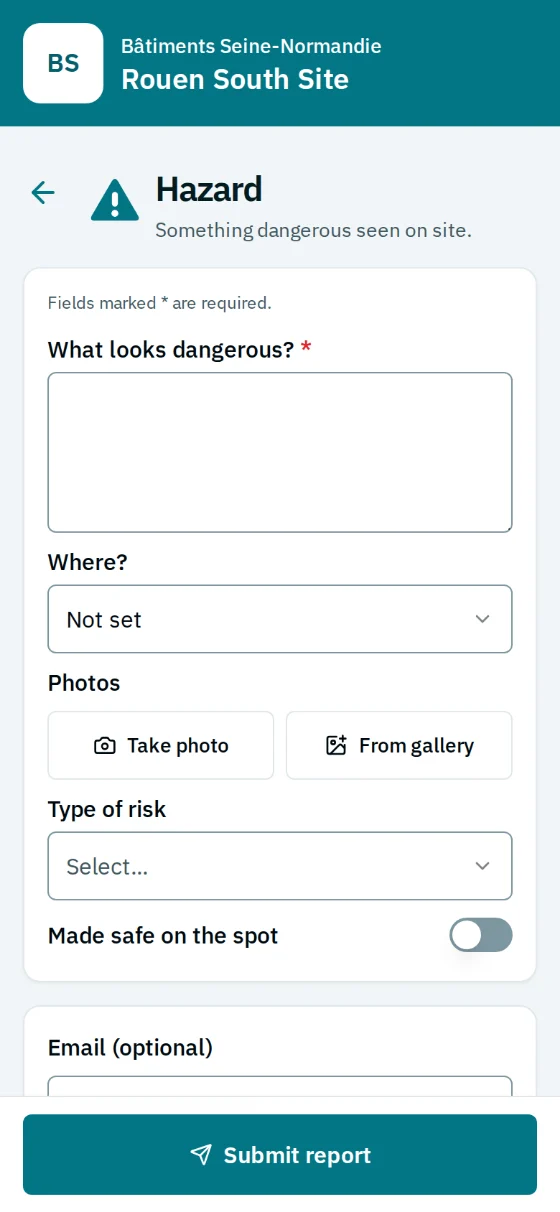
A QR code on the hoarding, a report in a few taps.
- No account, no app to install: scan, pick the type, fill it in, send.
- Photos if you like, and the report can stay anonymous. An optional e-mail brings the outcome, and a link to keep the report in an account.
- With an account, everyone follows their reports, sees what they still lack to work and the site's documents. The account belongs to the person: it follows them from one site and one employer to the next.
- Each site has its own forms: near miss, hazard, positive observation, environment, and the ones you add.
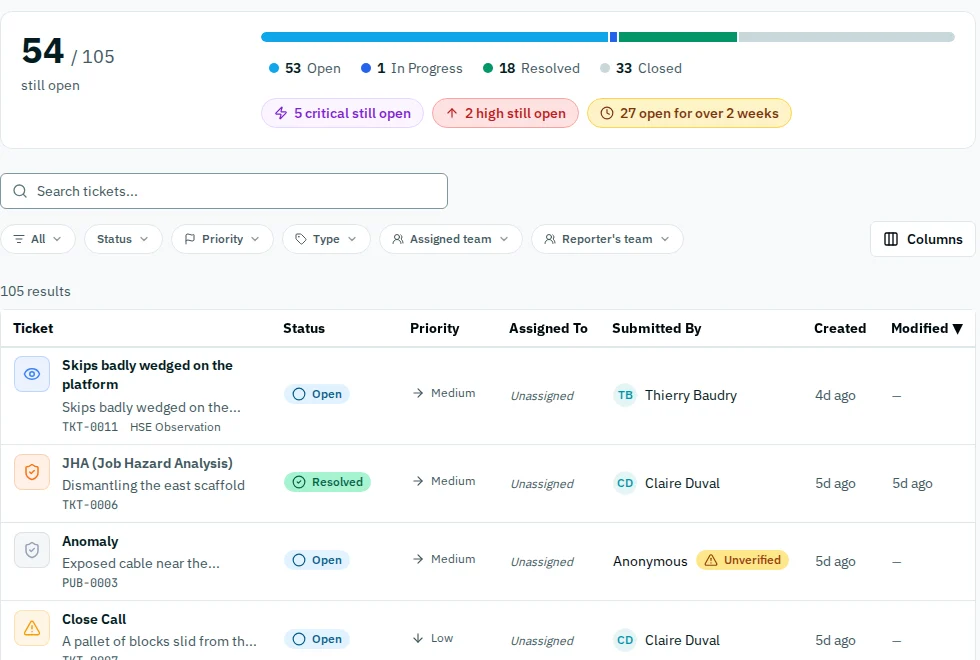
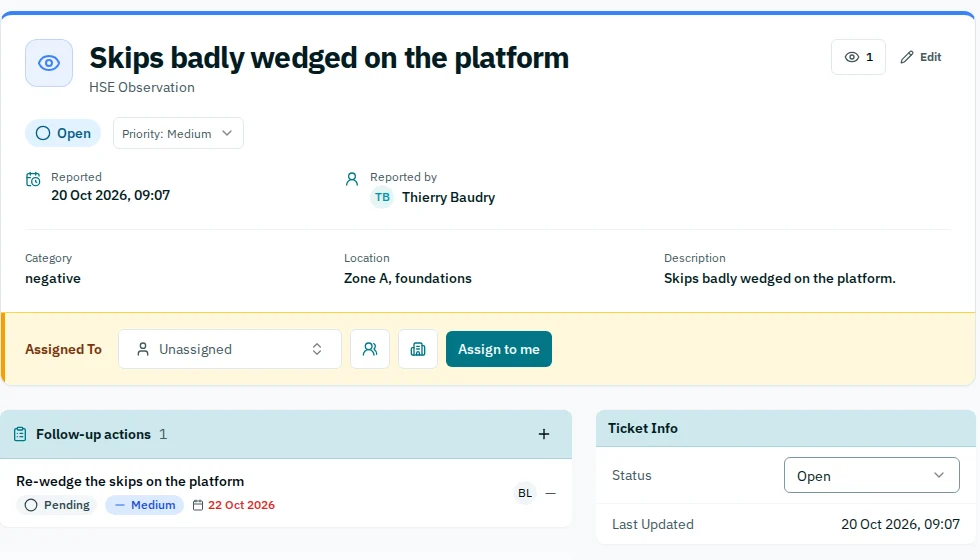
- Every report becomes a ticket of the site, with its history, linked to a golden rule when it applies.
Actions
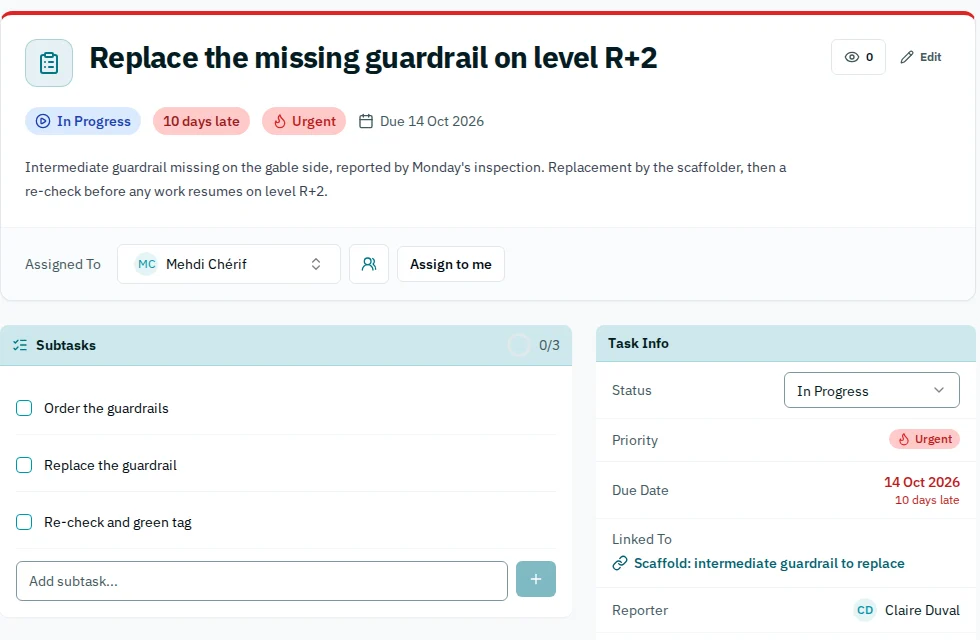
One finding, one owner, one date.
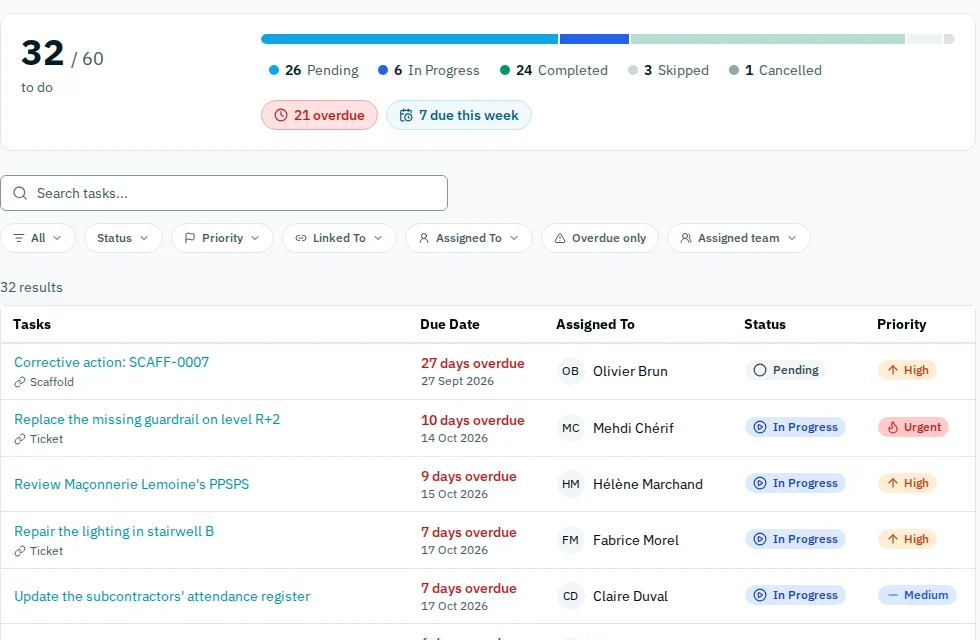
- A ticket can open a follow-up action with an owner, a due date and a priority.
- Overdue work shows in red, as a list or as a board.
- Tasks that come back daily or weekly create themselves.
- Every change stays in the history: who, what, when.
Equipment
What isn't checked shows.
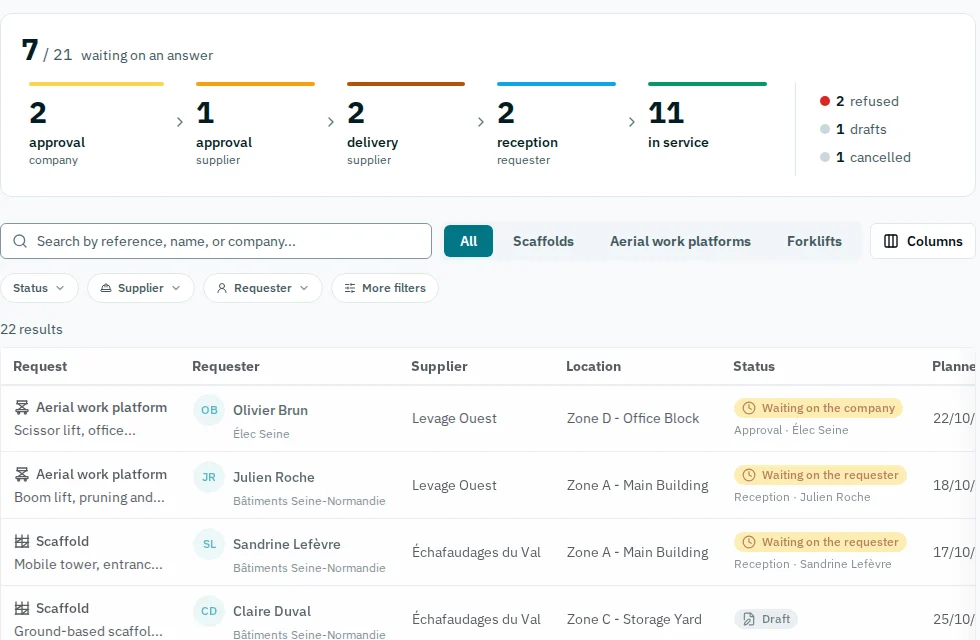
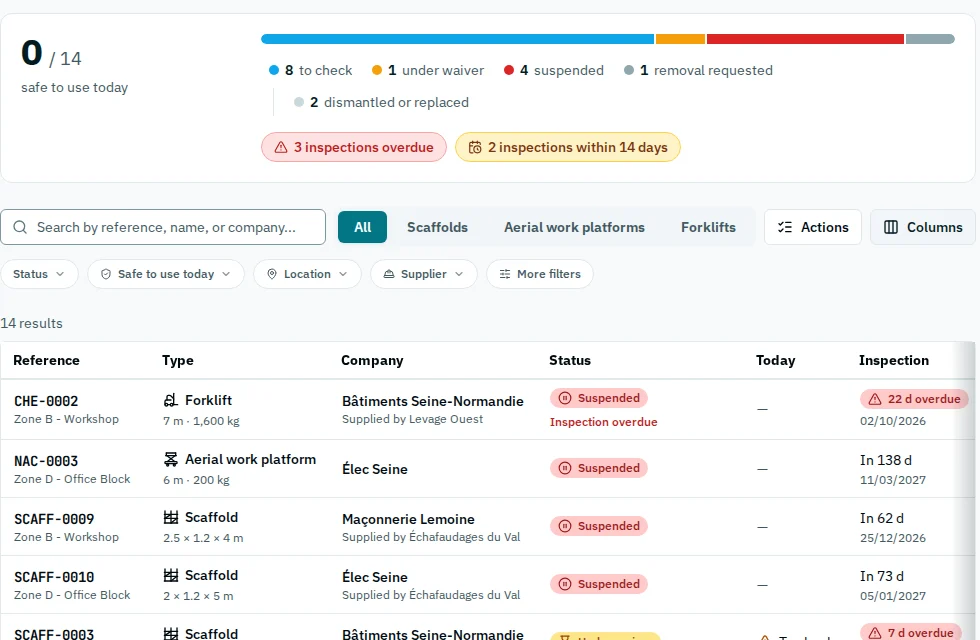
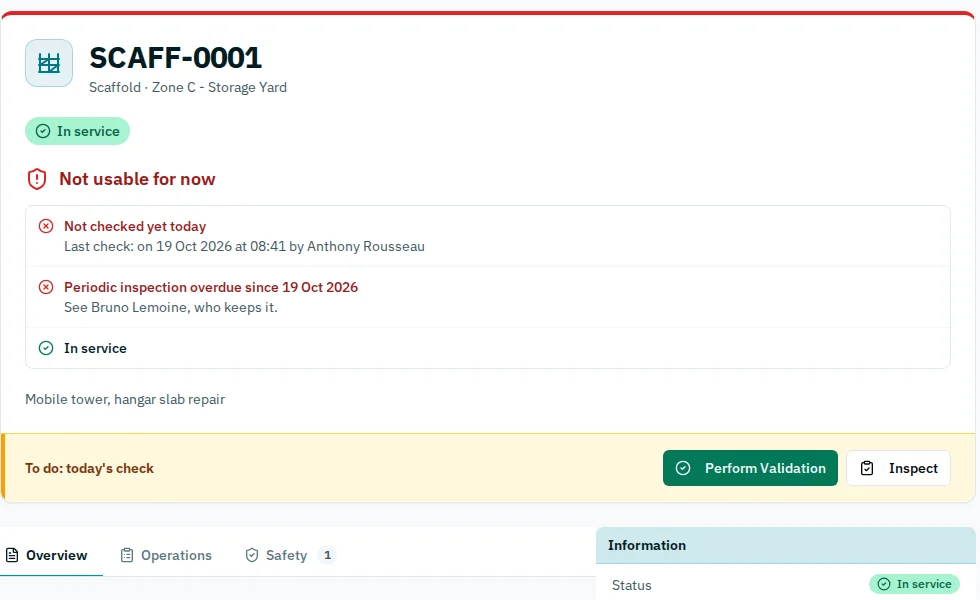
- Scaffolds, aerial platforms and forklifts, from the request to the dismantling.
- A request goes through approval, erection and handover, and everyone sees where it stands.
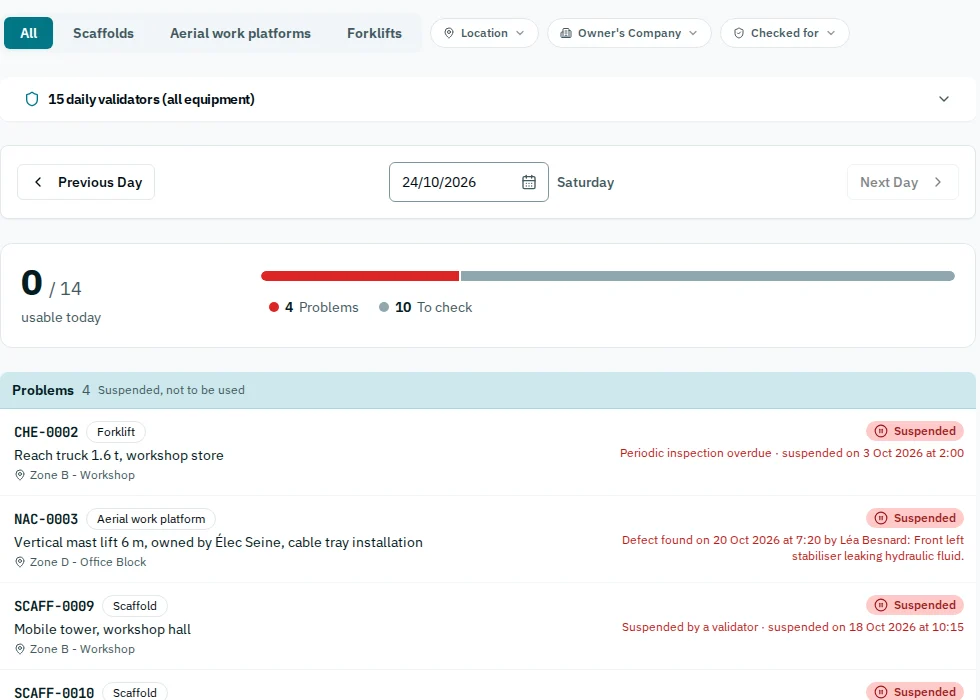
- Daily checks and periodic inspections. A suspended item is marked “do not use”.
- Every past day stays on record.
People
Who may work here, and until when.
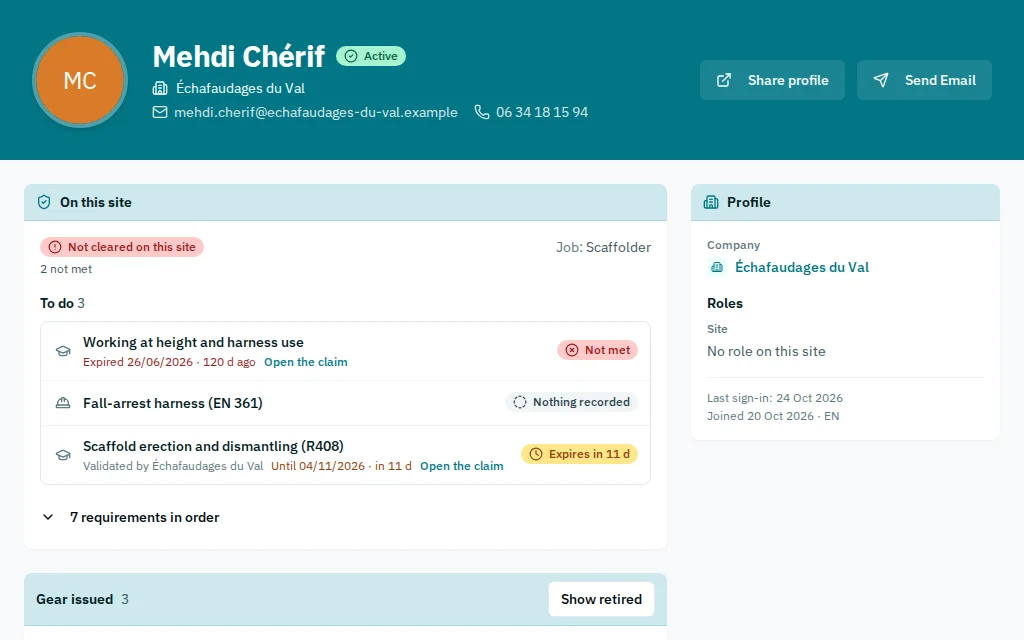
- CACES, electrical clearances, work at height: each certificate with its expiry date.
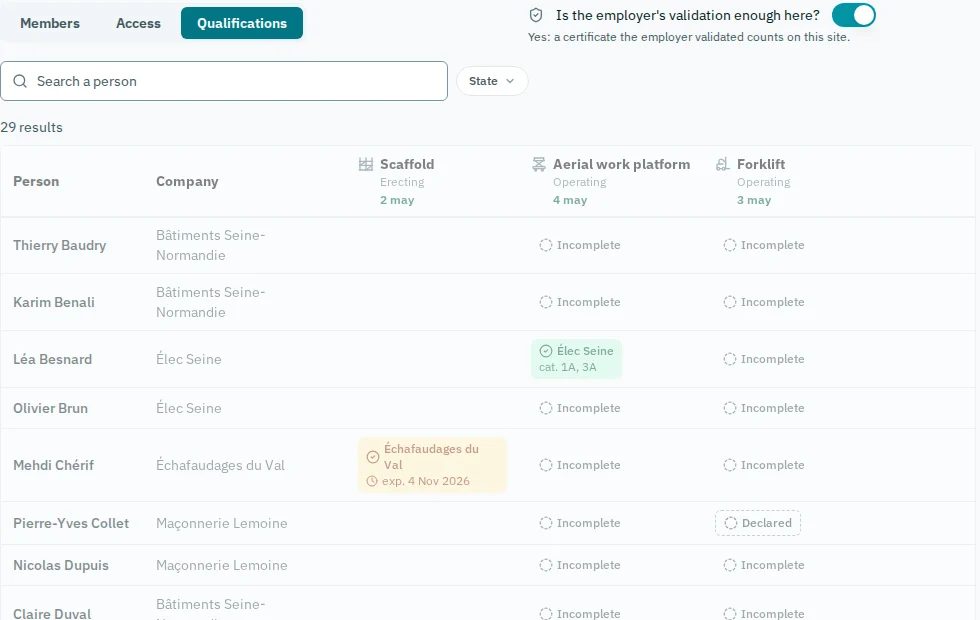
- Validated by the employer or the site, and the app says who validated it.
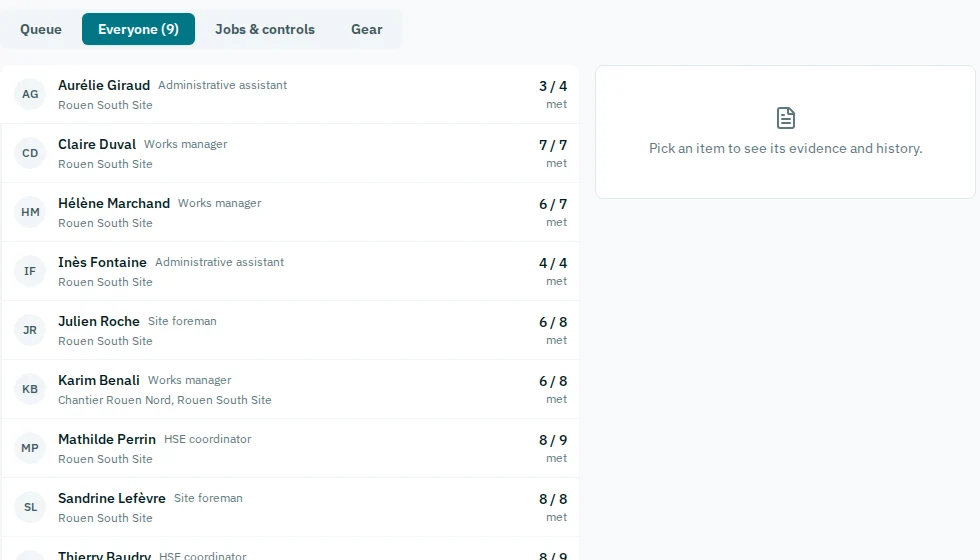
- The clearance grid shows who may operate what, and on whose word.
- The expiry date shows up before the problem does.
Companies
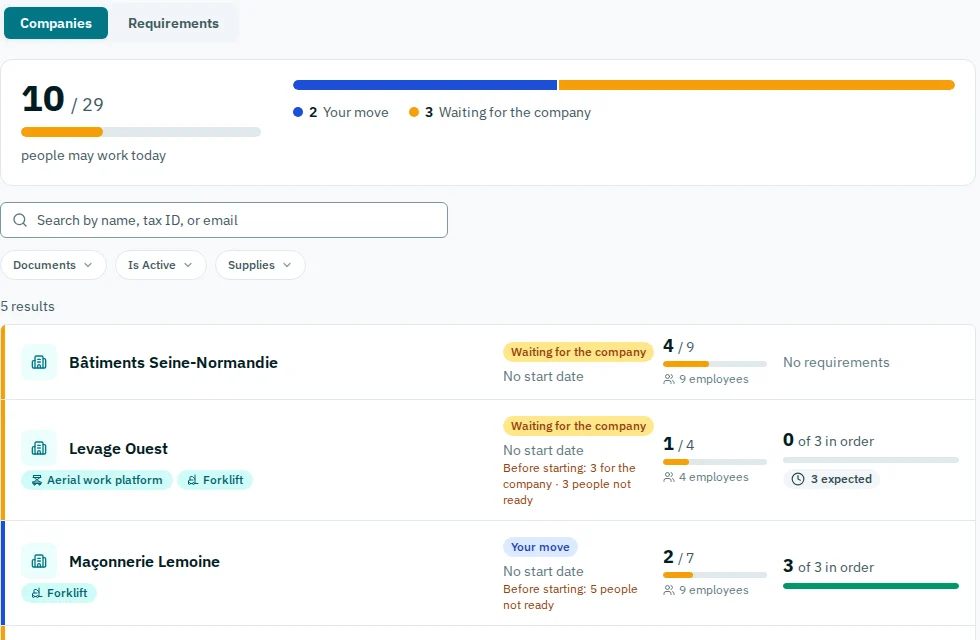
Every company on the site, and what each still owes.
- The companies on site, their crews, and for each what is missing before they start.
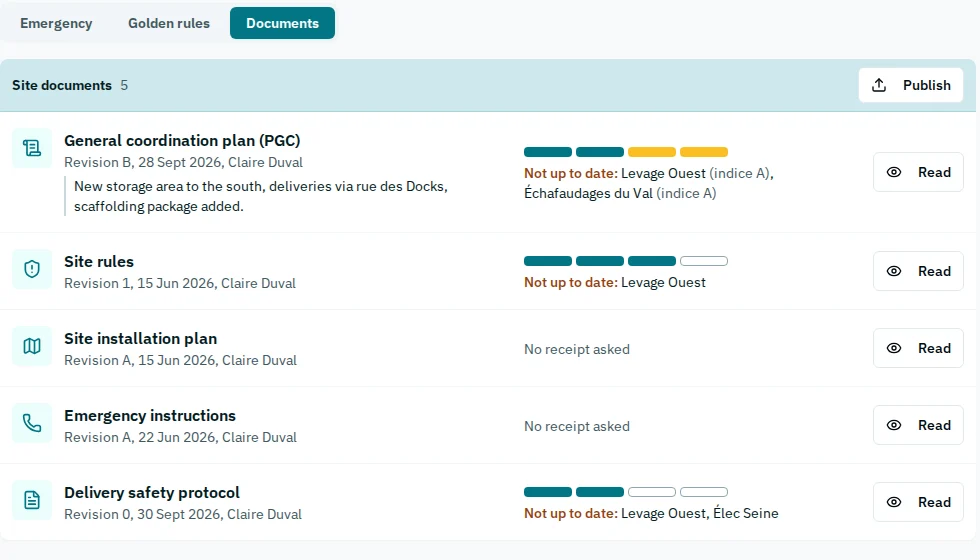
- The site's documents, such as the coordination plan, published by revision: each company confirms the one it received.
- When the coordination plan changes, a safety plan written for the previous revision is flagged.
- A subcontractor is declared by the company; the site accepts or refuses it, with a reason.
Reports
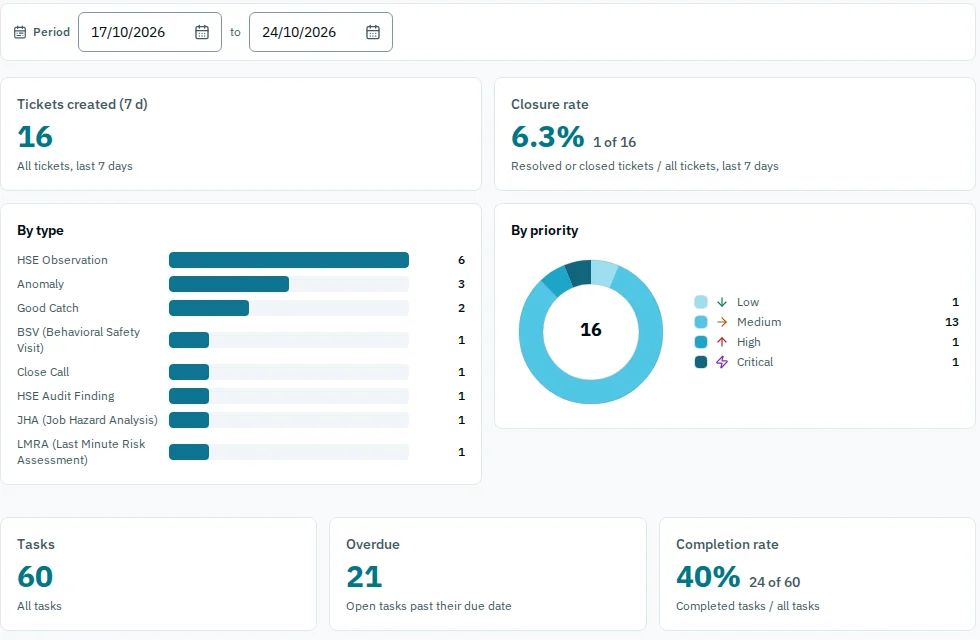
The site's figures, dated.
- Build a report once: events, closure rate, time to resolve.
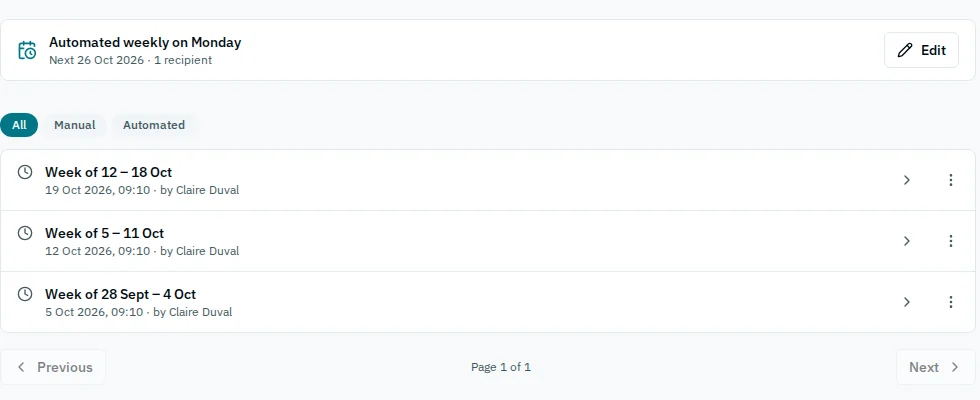
- Excel export. A report can re-run itself on a schedule, and its recipients are notified.
- Frozen, dated snapshots for the management review: a day's figure no longer moves.
Want to see it on your site?
Prices are public, and we set SafetyCentral up with you, from your own files.